

By SOVOX Engineering · Published August 24, 2026 · Technical details checked August 24, 2026
The short answer
For playback only, usually not. Every current computer already has a digital-to-analog converter, and modern onboard audio is well below the threshold where conversion quality limits what you hear on a desk.
You do need one if you record with a microphone, if you need low-latency hardware monitoring, or if your monitors have balanced-only inputs and nothing else in your chain can produce a balanced signal.
Scope and disclosure
This guide covers connecting active nearfield monitors to a computer for playback and for recording. It does not review specific interfaces, and it separates the four functions an interface performs so that the ones relevant to playback can be evaluated on their own.
Disclosure: SOVOX publishes this article and manufactures an active nearfield monitor with balanced XLR and unbalanced RCA inputs. The recommendations below are not conditional on that product, and the cheaper alternatives to an interface are named where they apply.
1. What an audio interface actually contains
An interface is four devices in one enclosure:
- A digital-to-analog converter, which turns the file into an analog voltage your monitors can amplify.
- An analog-to-digital converter, which turns a microphone or instrument signal into data.
- A microphone preamp, usually with phantom power for condenser microphones.
- Balanced outputs, typically TRS or XLR, which reject noise picked up along the cable.
Only the first and fourth items relate to playback. The second and third exist entirely to get sound in. If you never connect a microphone, you are buying a four-function device to use one and a half of its functions.
2. Your computer already has a converter
The received wisdom that onboard audio is unusable comes from a period when it genuinely was — shared power rails, converters chosen on cost alone, audible interference from the graphics card. Current onboard audio is generally not that. On most modern machines the measured noise and distortion of the headphone output sit below the level at which they contribute anything audible at desk listening levels.
What onboard analog output still reliably has is a grounding problem, and that is the real reason people notice a change when they add an interface.
3. The improvement people hear is usually a ground loop being removed
Your computer is grounded through its power supply. Your active monitors are grounded through theirs. Connect them with an unbalanced cable and the cable shield now joins two independently grounded chassis. If those ground points sit at slightly different potentials, current flows down the shield.
You hear it as hum at mains frequency and its harmonics, and often as a high-frequency whine that changes pitch when you scroll a window or move the mouse. That whine is the graphics card arriving through the ground, not through the converter.
An interface fixes this in two ways: it is often bus-powered, which removes the second ground reference, and its balanced outputs reject whatever common-mode noise remains. The converter change is incidental — you are buying a grounding solution and receiving a converter with it.
This matters because a grounding problem has cheaper and more targeted fixes than an interface, and because if you do not have one, an interface will not change what your speakers sound like.
4. When you genuinely need one
- You record. Microphones need a preamp and usually phantom power. There is no substitute and this is not a marginal case.
- You monitor while recording. Interfaces provide hardware monitoring that bypasses the computer, with latency low enough to perform to. Software monitoring cannot match it.
- Your monitors are balanced-only. Many studio monitors have no unbalanced input at all.
- You need routing. Multiple outputs, a headphone feed, outboard hardware.
5. When you do not
You listen to music, watch video, play games and take calls; you do not record; and your monitors accept an unbalanced input. In that case an interface adds a box, a cable and a power draw in exchange for a difference you will struggle to identify in a level-matched comparison. Room treatment, stands, or better speakers will each change what you hear more than the converter will.
One caveat, stated plainly: if you already have a ground loop, adding an interface will produce an audible improvement and it will feel like a sound-quality upgrade. It fixed the wiring. The distinction matters when deciding what to buy next.
6. The option this framing usually skips
A third path is to send the speaker a digital signal and let it convert internally. A monitor with a USB, optical or Bluetooth input has its converter inside the cabinet, downstream of every ground loop in the room, because there is no analog cable to carry hum. No interface, no external converter, no third box.
The trade-off is that you use the converter the manufacturer chose. The differences between those three digital inputs are covered in Bluetooth vs USB vs optical, and the comparison with an external DAC is a separate question.
7. What to check before buying anything
- Turn the volume up with nothing playing. Hiss that rises with the speaker's volume control is downstream noise an interface will not touch. Hum or whine that is constant regardless of volume is a ground loop.
- Unplug everything else — hubs, drives, chargers, display USB passthrough — and add them back one at a time. The offender is frequently a cheap charger.
- Try a different output. If the headphone jack is clean and the rear output is not, the problem is that output, not conversion.
- Set the system to 24-bit and keep system volume near maximum, setting listening level on the speakers. Heavy attenuation in software before conversion discards resolution no hardware downstream can recover.
- Only then consider hardware. If the diagnosis is a ground loop and you do not record, an isolating transformer solves exactly that problem for a fraction of an interface's cost.
8. Summary
- Recording with a microphone: an interface, no substitute.
- Balanced-only monitors, playback only: something with balanced outputs — an interface works, so does a monitor controller.
- Playback only, unbalanced input available, no hum: nothing. Your computer is adequate.
- Playback only with audible hum: a grounding fix. An interface is one, and not the cheapest.
- Buying speakers now and want fewer boxes: a monitor with a digital input.
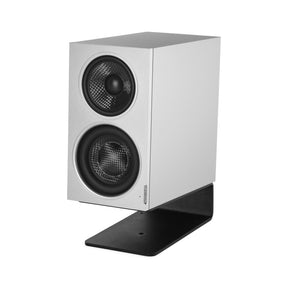
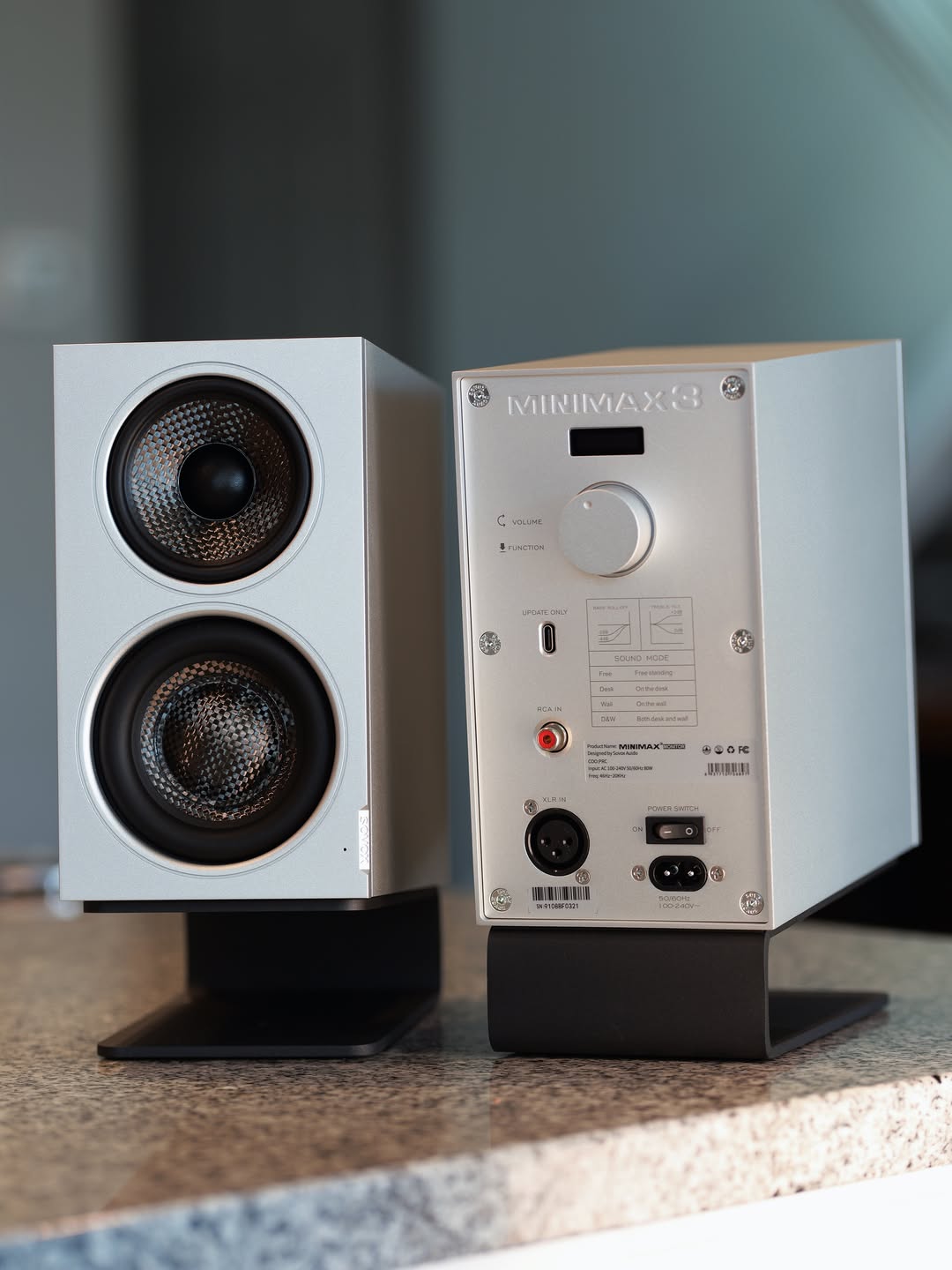
For reference, MiniMax3 Monitor accepts balanced XLR at +4 dBu and unbalanced RCA at −10 dBV, so it can be driven either from an interface or from an unbalanced source directly. Its rear USB-C port is for firmware updates and is not a USB audio input.
Related: Studio monitors vs computer speakers · How to choose a compact studio monitor
Frequently asked questions
Do you need an audio interface for studio monitors?
Not for playback, unless your monitors are balanced-only. You do need one to record with a microphone or to monitor with low latency while recording.
Can you connect studio monitors directly to a computer?
Yes, if the monitors accept an unbalanced input such as RCA or 3.5 mm, or a digital input such as USB or optical.
Why do my studio monitors hum?
Most often a ground loop: the computer and the speakers are separately grounded and joined by an unbalanced cable. Balanced connections, bus-powered devices, optical inputs and isolating transformers all address it.
Does an audio interface improve sound quality?
It can remove noise caused by grounding and unbalanced cabling. The converter itself is rarely the limiting factor in a modern desk setup.
Is an external DAC the same as an audio interface?
No. A DAC handles playback only. An interface adds analog-to-digital conversion, microphone preamps and low-latency monitoring for recording.
Sources and editorial notes
- SOVOX MiniMax3 Monitor — current specifications and measurements
- SOVOX — Bluetooth vs USB vs optical for desktop audio
- SOVOX — studio monitors vs computer speakers
Editorial policy: SOVOX manufactures an active monitor with balanced and unbalanced analog inputs. This article recommends against buying an interface for playback-only setups and names cheaper remedies for grounding problems, including options SOVOX does not sell.
MiniMax3 product-specific values were checked against the current SOVOX product page on August 24, 2026.
Partager:
Compact 3-Way Coaxial Monitors Compared: MiniMax3 Monitor, Kali IN-5 and Genelec 8331A
What Is a Coaxial Speaker? A Desktop Listener's Guide