

By SOVOX Engineering · Published August 18, 2026 · Updated August 24, 2026 · Technical details checked August 24, 2026
The short answer
Choose a compact studio monitor by looking beyond driver size and an unqualified frequency-range number. The most useful public information is a combination of measured frequency response and directivity, clearly qualified bass extension, output/headroom under stated test conditions, placement controls, physical dimensions and the inputs you actually need.
No single feature — two-way versus three-way, coaxial versus conventional, aluminium versus MDF, or DSP versus analog filtering — guarantees better performance. The design has to work as a system, and independent measurements are valuable because they let you check that system before you buy.
What this guide evaluates
This is a pre-purchase checklist for compact active nearfield monitors used on desks and at short listening distances. It focuses on information that can be checked from manufacturer specifications, manuals and independent measurements. It cannot replace listening in your own room, and it does not assume that one driver topology is automatically superior.
Disclosure: SOVOX publishes this guide and manufactures the MiniMax3 Monitor. The general criteria below are intended to be usable with any brand. When MiniMax3 is used as an example, its manufacturer relationship is stated explicitly and its independent measurement source is linked.
1. Look for more than one on-axis curve
An on-axis response tells you what a microphone sees directly in front of a speaker. It is useful, but it does not show how the speaker radiates toward the desk, side walls, ceiling and other surfaces that create reflections.
A full set of angular measurements — commonly summarized in an ANSI/CTA-2034 spinorama — adds the listening window, early-reflections response, sound power and directivity information. CTA describes ANSI/CTA-2034-B as a standardized method for determining loudspeaker frequency response, directivity and maximum output capability.
For buying purposes, the key question is not whether the graph looks perfectly flat. Look for a smooth listening window and off-axis curves that change gradually rather than developing abrupt discontinuities around a crossover or resonance.
Further reading: How to read a spinorama · ANSI/CTA-2034-B overview
2. Read the qualifier attached to the bass number
“45 Hz–20 kHz” is incomplete unless the specification also says how far the response is allowed to fall at the endpoints. A lower limit at −3 dB, −6 dB and −10 dB describes three different points on the same roll-off.
When comparing two monitors, use the same tolerance whenever possible. A model specified to 45 Hz at −10 dB should not be described as having deeper usable bass than a model specified to 49 Hz at −3 dB without acknowledging the different criteria.
Also check whether the figure is free-field/anechoic or measured in a room. Room gain can make low-frequency extension appear deeper than the speaker's free-field response.
3. Treat maximum SPL as a test result, not a universal score
Maximum-SPL figures are often measured under incompatible conditions. One manufacturer may publish a short-term sine-wave value over a limited frequency band; another may publish a broadband RMS value, a peak value, a pair rather than one speaker, or a figure measured in half-space.
That means two headline SPL numbers cannot be ranked safely unless their methods are comparable. Prefer specifications that state distance, signal type, duration or standard, and frequency range. Independent compression and distortion measurements are even more useful when available.
For a desktop monitor, headroom should be judged against listening distance and use. A speaker intended for a 0.7–1.2 m nearfield does not need the same acoustic output as a monitor intended to fill a large control room.
4. Check directivity and listening-window stability
At a desk, your head moves vertically and horizontally. When separated drivers overlap through a crossover, their relative path lengths change with listening angle, which can create direction-dependent peaks and dips. Waveguides, coaxial/concentric layouts and careful crossover design are different ways of managing that behavior.

A coaxial layout reduces the physical separation between the midrange and tweeter, but it does not make directivity automatically perfect. Cone geometry, waveguide behavior, crossover slopes and DSP all remain part of the result. The measurement is more informative than the topology label.
5. Understand what placement controls can — and cannot — fix
A desk and nearby walls alter the response through both broad boundary gain and narrow reflection-related cancellations. A useful placement control should show what it changes and give settings that correspond to real positions, such as desk, wall or combined desk-and-wall placement.
Broad shelves and presets can compensate for tonal changes caused by nearby boundaries. They generally cannot fill a deep cancellation caused by destructive interference, because increasing the speaker level also increases the reflected sound that created the null. Physical placement, absorption or a different listening position may be required for those problems.
Further reading: Where to put small studio monitors on a desk
6. Ask what the crossover topology is solving
A two-way monitor asks one low-frequency driver to reproduce bass and much of the midrange before handing off to the tweeter. A three-way adds a dedicated midrange so bandwidth and excursion can be divided among more drivers. In principle, that can reduce the excursion burden on the midrange-producing driver and give the designer more freedom over directivity and crossover placement.
The extra driver also adds another crossover and more implementation complexity. A well-designed two-way can outperform a poorly integrated three-way, so the number of ways should be treated as an engineering choice rather than a quality ranking.
Active/DSP crossovers can add precise filter shapes, delay and per-driver level control. Passive crossovers can also be engineered very well. Again, what matters is the acoustic result.
Further reading: Two-way vs three-way studio monitors
7. Check the physical constraints before the acoustics
- Width and depth: measure the actual space beside your display and leave room for toe-in and cables. A narrow cabinet can matter more than nominal woofer diameter on a crowded desk.
- Listening height: identify the manufacturer's acoustic axis and make sure you can aim it toward ear level without unstable stands or extreme tilt.
- Inputs: confirm XLR, TRS, RCA, AES/EBU or USB audio as required. A USB-C connector may be for firmware only.
- Controls: rear-panel controls look clean but are harder to reach; front controls are convenient. Decide which matters more in your workflow.
- Mounting and weight: if you use arms or clamps, compare the speaker's real weight and mounting geometry with the stand's rated load.

A practical seven-point checklist
- Are on-axis and angular/directivity measurements available?
- Is low-frequency extension stated with a tolerance such as −3 dB or −6 dB?
- Is maximum output published with enough test conditions to interpret it?
- Does the listening window remain smooth as you move off axis?
- Do placement controls correspond to real boundary conditions, and are their effects documented?
- What is the two-way/three-way/coaxial topology trying to solve, and do measurements support the claim?
- Do the dimensions, weight, inputs and control locations fit your actual desk and signal chain?
How MiniMax3 Monitor fits this framework
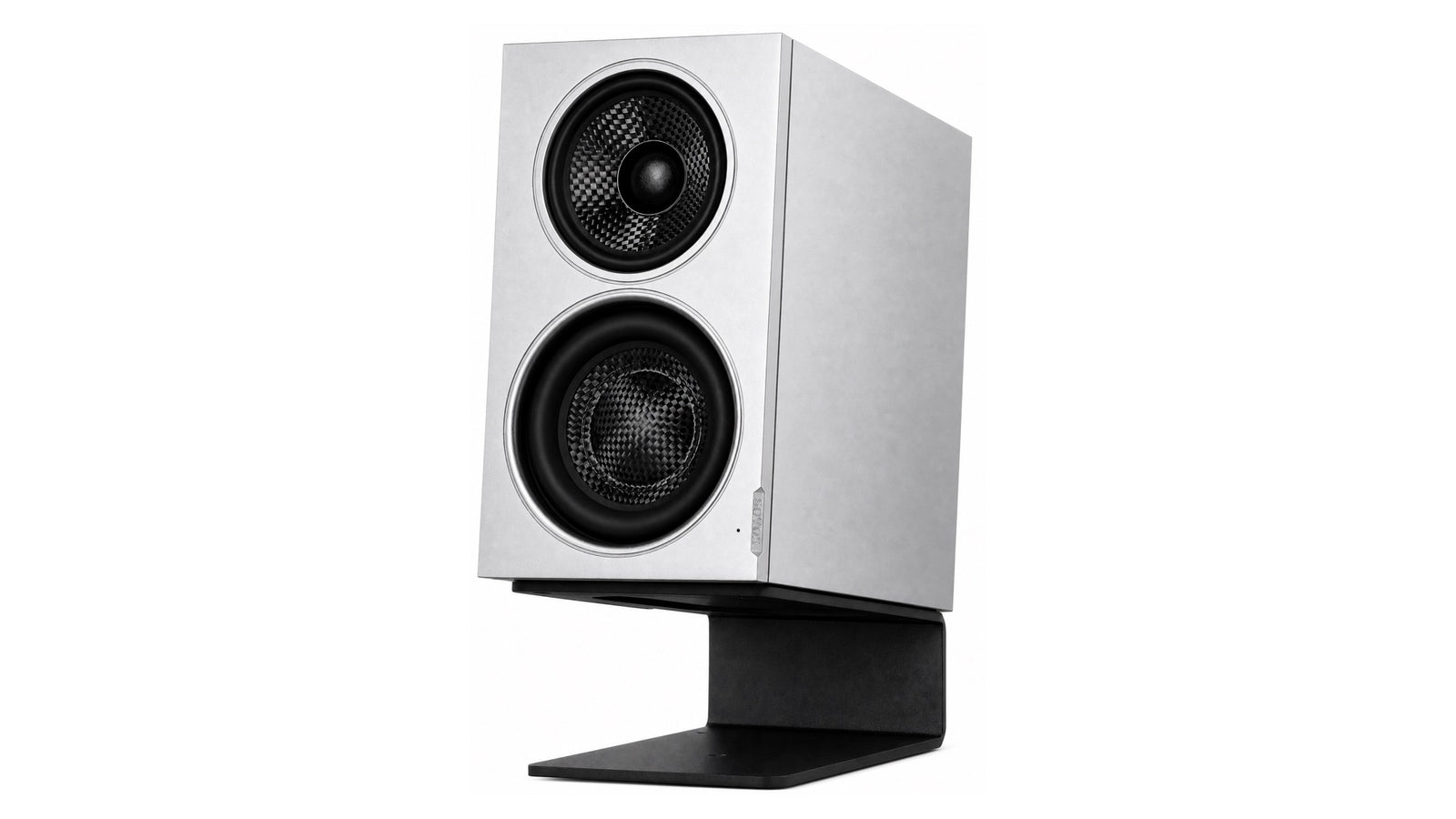
As a manufacturer example, the SOVOX MiniMax3 Monitor is designed around desk footprint rather than maximum room output. Its published dimensions are 195 × 110 × 200 mm (H × W × D) and 4.1 kg per speaker. The active three-way layout uses a 3.5″ woofer, a 3″ coaxial midrange with a 1″ silk-dome tweeter, and a 5″-equivalent passive radiator.
Published free-field response is 49 Hz–20 kHz at −3 dB and 46 Hz–20 kHz at −6 dB. SOVOX states 97 dB short-term maximum SPL at 1 m over 100 Hz–6 kHz and 95 dB long-term under its IEC 60268-5 condition. Those two values describe different tests and should not be compared with another manufacturer's headline number without matching the conditions.
The monitor provides XLR and RCA analog inputs plus four placement modes: Free, Desk, Wall and Desk & Wall. USB-C is for firmware updates rather than USB audio.

Independent Klippel NFS measurements and listening impressions are available from Erin's Audio Corner. Review unit loaned by SOVOX; the review disclosure states no payment or other compensation.
Frequently asked questions
What is the most important studio-monitor specification?
There is no single decisive specification. For a compact nearfield, a useful minimum set is frequency response with tolerances, directivity/angular data, output or distortion data, cabinet dimensions and the controls needed for your placement.
Is a three-way monitor automatically better?
No. A three-way can divide bandwidth and excursion among more drivers, but it also adds a crossover and integration complexity. Measured acoustic behavior matters more than driver count.
Is a coaxial monitor automatically better for a desk?
No. Coaxial geometry reduces source separation between the coaxial drivers and can help maintain consistent directivity, but the cone, waveguide and crossover still determine the result.
Should I choose the monitor with the lowest advertised bass number?
Only after checking the tolerance and measurement condition. Compare −3 dB with −3 dB or −6 dB with −6 dB where possible.
Can DSP placement presets fix room nulls?
They can correct broad tonal balance and boundary gain, but a deep cancellation caused by a reflection is usually better addressed through placement or acoustic treatment.
Sources and editorial notes
- Consumer Technology Association — ANSI/CTA-2034-B
- Genelec — monitor placement and boundary-interference guide
- SOVOX MiniMax3 Monitor — current product specifications
- Erin's Audio Corner — independent MiniMax3 measurements
Editorial policy: SOVOX manufactures the MiniMax3 Monitor. General buying guidance is separated from SOVOX product claims, test qualifiers are preserved, and an independent measurement source is linked where the SOVOX product is discussed.
Specifications can change. Product-specific values in this article were checked against the current SOVOX product page on August 24, 2026.
Teilen:
How to Read a Spinorama
Compact 3-Way Coaxial Monitors Compared: MiniMax3 Monitor, Kali IN-5 and Genelec 8331A