
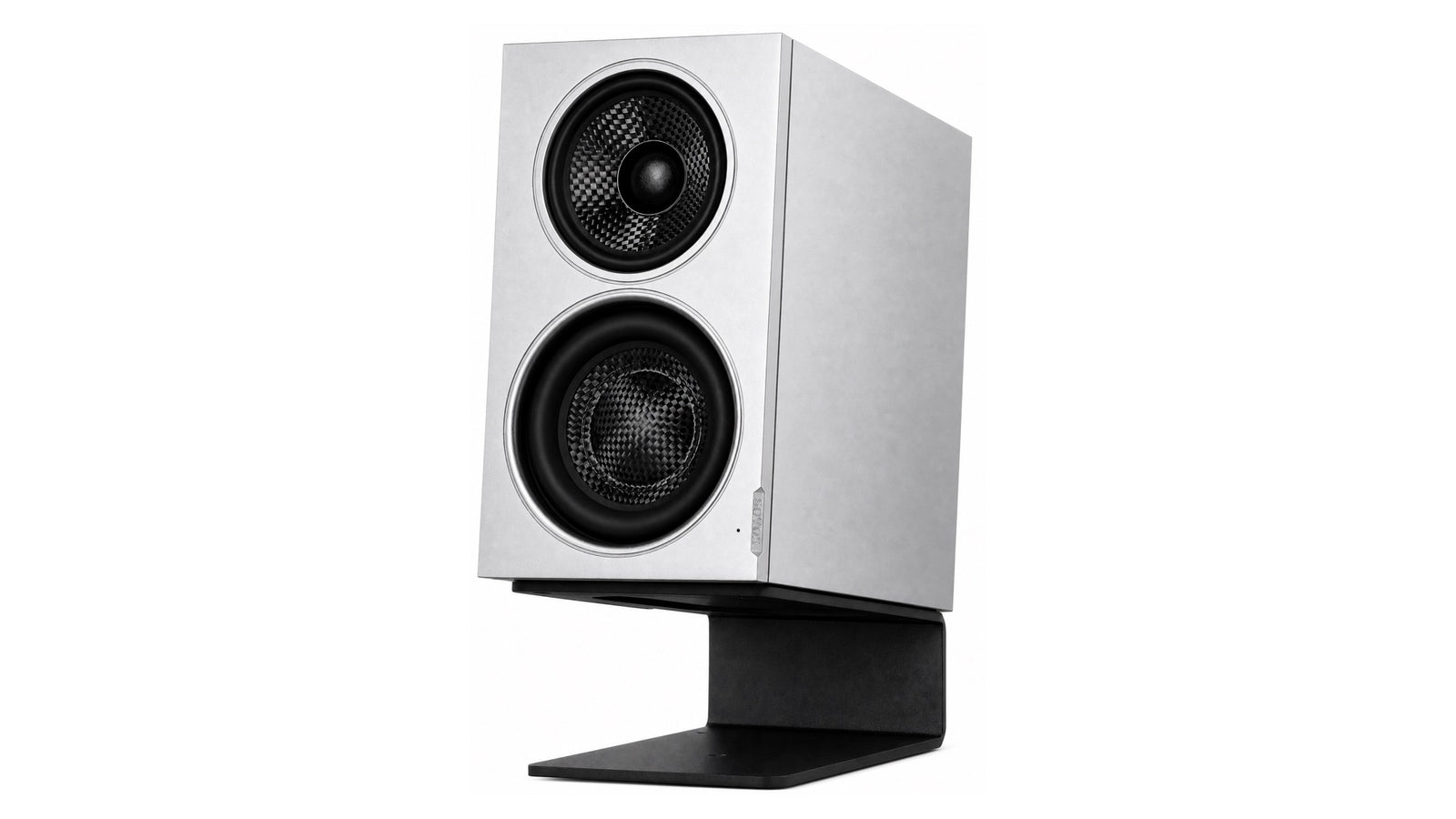
Most compact monitors are sold on two numbers: a frequency range and a driver size. Neither will tell you how the speaker behaves on your desk, and both are easy to present flatteringly.
Below are seven questions that do discriminate between designs. They are deliberately answerable from published information, so you can apply them to any candidate — including ours — before you listen to anything.
1. Does the maker publish full-sphere measurements?
This is the highest-yield question, and it is a filter more than a criterion.
A single on-axis frequency response curve describes one microphone position in one direction. It cannot tell you how the speaker radiates into the room, which is most of what you hear at a desk. The standardised alternative is CTA-2034 spinorama data, which condenses measurements taken all around the speaker into a comparable set of curves.
Publishing that data is a choice. It exposes crossover problems, directivity irregularities and distortion behaviour that a marketing curve hides. When a manufacturer publishes it in a standard format, you can compare across brands; when they publish only a range and a graph with no axis labels, you are being asked to take their word for it.
If you want to be able to read what you find, we wrote a walkthrough: how to read a spinorama.
2. How is the bass figure qualified?
“Frequency response: 45 Hz – 20 kHz” is the most quoted and least regulated line on any spec sheet.
The number is meaningless without the tolerance it was measured to. A speaker quoted at −10 dB will always look deeper than the same speaker quoted at −3 dB, and some sheets simply do not say. The convention worth trusting is a figure given at −3 dB, optionally with a second at −6 dB for the extended roll-off.
A manufacturer that publishes both is telling you where the response actually begins to fall and where it has genuinely gone. A manufacturer that publishes a single unqualified number deep into the 30s is telling you something too.
3. Where does the crossover land?
A crossover is a handover between drivers, and the handover region is always the least clean part of a speaker's response.
In a two-way design the handover almost always falls between 2 kHz and 3.5 kHz — the region where human hearing is most sensitive and where vocal presence lives. A three-way design can move it out of the way, at the cost of size and an additional crossover. Neither is automatically right, but you should know which compromise you are buying.
Ask also whether the crossover is passive or active. An active design gives each driver its own amplifier and filter, so crossover points and driver time alignment are set precisely rather than approximated by component values.
We covered the full trade-off here: two-way vs three-way, what actually changes.
4. Does the sweet spot survive you moving?
You will not sit perfectly still. You will lean forward, sit back, stand up.
When two drivers are separated on a baffle and both produce sound near the crossover, their outputs combine differently in different directions — reinforcing along some angles, cancelling along others. The audible result is that tonal balance shifts as you move, most noticeably vertically, because that is the axis the drivers are separated along.

Directivity plots show this directly. What you want is coverage that narrows smoothly and symmetrically as frequency rises. What you are looking out for is a lobed pattern with abrupt nulls near the crossover frequency.
5. Does it have real boundary compensation — and is it measured?
A desk is a large reflective surface directly under the drivers, and there is usually a wall behind it. Both reshape the low end substantially, and no amount of speaker quality removes that.
Many monitors offer some form of low-frequency trim. The questions worth asking are whether the settings correspond to actual placements rather than vague labels, and whether the manufacturer has published a measurement of each setting so you can see what it does.
A tone control you cannot see the effect of is a control you will end up setting by guesswork. More on the underlying problem: where to put small monitors on a desk.
6. How is maximum SPL specified?
Maximum SPL is quoted in several incompatible ways, and the differences are large.
A short-term or peak figure describes brief transients. A long-term or continuous figure — ideally to a stated standard such as IEC 60268-5 — describes what the speaker sustains without protection circuits intervening. The long-term number is always lower, and it is the more honest description of how loud the speaker really plays.
If a sheet quotes one number with no qualifier, assume it is the flattering one. If a sheet quotes a long-term figure higher than its short-term figure, something has been transcribed wrong.
7. The physical realities
Three practical things that decide whether you live with the speaker:
- Cabinet width. Desk space is the constraint that actually bites. A monitor's width determines whether it fits beside a display without pushing you into a bad listening position.
- Where the controls are. Rear-panel controls keep the front face clean but mean reaching behind to change anything. Front controls are convenient and visually busier. Neither is wrong; know which you are getting.
- Inputs. Balanced XLR, unbalanced RCA, or digital. Check whether any USB port is an audio input or firmware only — they look identical on a spec sheet and are not the same thing.

The checklist
- Is there published CTA-2034 or full-sphere measurement data?
- Is the bass figure qualified with a tolerance — −3 dB, −6 dB, or unstated?
- Where is the crossover, and is it passive or active?
- Do directivity plots show smooth narrowing, or lobing near the crossover?
- Are there placement-specific settings, and has each one been measured?
- Is maximum SPL given short-term, long-term, and to which standard?
- Does the cabinet width fit your desk, and are the inputs the ones you need?
What this design is built for
The seven questions above will also tell you when a speaker is the wrong tool, which is worth being explicit about.
MiniMax3 Monitor is built for nearfield work at a desk: a listener close to the speakers, boundaries close behind and below, and a cabinet that has to fit beside a display. Maximum SPL at one metre is 97 dB short-term across 100 Hz – 6 kHz and 95 dB long-term to IEC 60268-5 — matched to that distance and that room size. Response is 49 Hz – 20 kHz (−3 dB) and 46 Hz – 20 kHz (−6 dB) from a cabinet 110 mm wide.

Filling a larger room, or working at sustained high levels, is a different job and asks for a physically larger speaker. Larger SOVOX models are in development.
Inputs are balanced XLR at +4 dBu and unbalanced RCA at −10 dBV; the rear USB-C port carries firmware updates rather than audio. All controls sit on the rear panel, which keeps the front face free of switches.
The short version
The specification that matters most is not on the spec sheet. It is whether the manufacturer published enough data for you to evaluate the claim independently.
Run the seven questions on every candidate. Most compact monitors fail the first one, and that tells you a great deal before you have listened to anything.
MiniMax3 Monitor — the most compact 3-way coaxial desktop monitor. The complete measurement set, including every placement and tone setting, is published on the product page. How the coaxial architecture works: ISP™ technology.
Share:
How to Read a Spinorama
Compact 3-Way Coaxial Monitors Compared: MiniMax3 Monitor, Kali IN-5 and Genelec 8331A