
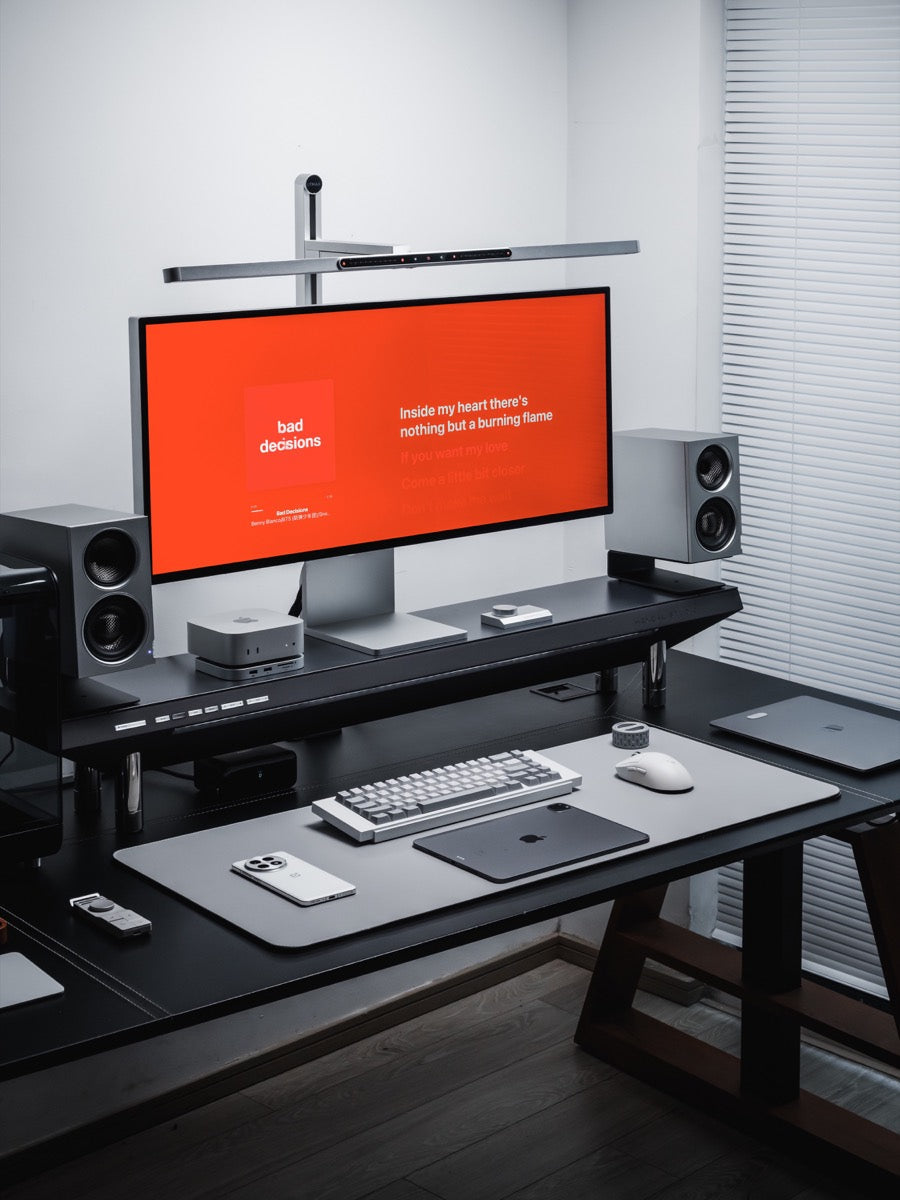
By SOVOX Engineering · Published August 24, 2026 · Technical details checked August 24, 2026
The short answer
A studio monitor is optimised to reproduce a recording accurately. A computer speaker is optimised to sound pleasant in an uncontrolled position at a modest price. Both are legitimate engineering goals, and each produces a product that is worse at the other one's job.
If you mix, master or edit audio, a monitor is a working requirement. If you listen while you work, either can be correct — and the deciding factor is usually your desk and your room rather than the speaker category.
Scope and disclosure
This guide compares active nearfield studio monitors with consumer computer speakers for desktop use at roughly 0.6–1.2 m. It does not rank specific models, and it treats room and placement as part of the comparison rather than as a separate topic.
Disclosure: SOVOX publishes this article and manufactures a compact three-way coaxial nearfield monitor, MiniMax3 Monitor, referenced below as a design example. Independent measurements are linked so the acoustic claims can be checked outside SOVOX's own material.
1. What the two categories actually optimise for
A studio monitor targets a flat frequency response: every band reproduced at the level it exists in the recording, with no region emphasised. A consumer computer speaker is usually voiced with a bass lift and a treble lift, because that is immediately pleasant on the material most people play.
Flat is not a claim about enjoyment. A flat speaker played next to a voiced one is often described as thinner at first. The reason to want flat is that it is the only response that does not alter every recording in a way you cannot undo: if a speaker adds 4 dB at 80 Hz, every track you hear has 4 dB too much at 80 Hz, and any mixing decision you make compensates for something that was never there.
For listening rather than production, the trade is real in both directions. A flat speaker makes well-recorded material noticeably better and poorly-recorded material noticeably worse. That is worth knowing before buying.
2. Near-field is a design distance, not a marketing word
Near-field describes a specific geometry: close enough that what reaches your ears is dominated by the speaker's direct output rather than by room reflections. In practice that is about 0.6–1.2 m — a desk.
Designing for that distance changes the speaker. Driver spacing matters more, because the angle between drivers as seen from your head is larger. Off-axis crossover behaviour matters more, because small head movements traverse more of the radiation pattern. Cabinet edge diffraction matters more, because you are close enough to hear the cabinet as an object.
This is the strongest technical argument for a monitor on a desk, and it is separate from accuracy. A near-field monitor is engineered for the distance a desk imposes. Many consumer speakers are engineered for a room and then placed on a desk anyway.
3. Active versus passive, and why monitors are almost always active
Nearly every studio monitor is active: the amplifiers are inside the cabinet, one per driver, with the crossover applied before amplification. That is not only convenience. Each amplifier sees only its own driver's band; the crossover operates at line level where filters can be precise without the losses a passive network incurs at speaker level; and the designer knows the exact load, so driver compensation, boundary compensation and protection limiting become possible.
Consumer computer speakers are usually powered but with a single amplifier and a passive crossover, or as a 2.1 system with a subwoofer carrying the low end. Both are reasonable cost decisions and both are less capable arrangements.
4. Inputs are where desk setups usually go wrong
Studio monitors traditionally accept balanced inputs — XLR or TRS — which carry the signal twice in opposite polarity so that noise picked up along the cable cancels at the receiving end. Consumer computers do not have balanced outputs.
So a classic monitor purchase carries a hidden requirement: something to produce a balanced signal, usually an audio interface. Whether you actually need one is a longer question than it looks, and we work through it in do you need an audio interface for studio monitors. The short version is that an interface is a recording tool that also contains a converter, and if you are not recording you may be solving the wrong problem.
The alternative is a monitor that accepts a digital input and converts inside the cabinet, which removes the analog interconnect entirely. The trade-offs between those inputs are covered in Bluetooth vs USB vs optical, and the comparison with adding an external DAC to speakers you already own is a separate decision.
5. Your room will undo more of this than the speaker choice
A monitor's flat response is measured anechoically. A desk is not anechoic: there is a large reflective surface directly beneath the speakers, a wall close behind them, and a display between them.
A wall behind a speaker reflects low frequencies back toward you delayed by the extra path length. At the frequency where that delay corresponds to half a wavelength, the reflection arrives in opposite polarity to the direct sound and cancels it. The result can remove an entire region of bass from a speaker that measures flat in a chamber.
A carefully chosen monitor, badly placed, can measure worse at your ear than an ordinary consumer speaker. Placement is not a finishing step; it is a larger effect than the category difference this article is about. The geometry is covered in where to put small studio monitors on a desk, and the boundary mechanism in speakers close to a wall on a desk.
Some monitors provide boundary compensation for this reason. Used correctly it can correct the reinforcement a nearby surface produces. It cannot fill a cancellation, and no speaker's DSP can.
6. Size, and the constraint that does not negotiate
Small speakers cannot move much air, and low frequencies require moving a lot of air. There are three honest responses: accept the roll-off in a sealed cabinet, add a port, or add a passive radiator. Each has consequences on a desk, particularly for how close to a wall the speaker can sit — see passive radiator vs port. On how small is too small, what size speaker for a small desk works through the trade-offs, and whether a bookshelf speaker is simply the better answer is covered in desktop speakers vs bookshelf speakers.
7. Choosing
Work down this list. The first line that matches you is your answer.
- You produce audio or video, or want to. Studio monitor. Flat response is a working requirement.
- You want to hear what is in your recordings. Studio monitor, with the caveat above about your library.
- Your desk is against a wall and cannot move. Either category, but prioritise boundary compensation over anechoic specifications. Placement dominates.
- You want good sound with no setup effort. Computer speaker. This is a real requirement and consumer voicing exists to serve it.
- Your desk is small. Measure first. A monitor you cannot position correctly performs worse than a smaller speaker you can.
- You do not want extra boxes. Choose by input rather than by category.
8. A worked example
MiniMax3 Monitor is a near-field design: a 3-way, 4-driver active monitor with a 1″ silk dome tweeter mounted coaxially inside a 3″ carbon-fibre midrange, a 3.5″ carbon-fibre woofer and a 5″-equivalent passive radiator. Crossover points are 240 Hz and 3.6 kHz, third-order, with a separate amplifier per band and the crossover applied in DSP before amplification.
Low-frequency limit is 49 Hz (−3 dB) and 46 Hz (−6 dB) — the qualifier belongs with the number, because the two answer different questions. The aluminium cabinet is 195 × 110 × 200 mm and about 4.1 kg. At 110 mm wide it is the most compact 3-way coaxial desktop monitor we know of.
Inputs are balanced XLR at +4 dBu and unbalanced RCA at −10 dBV; the rear USB-C port is for firmware updates and is not a USB audio input. Rear-panel SOUND MODE provides four placement settings — Free, Desk, Wall and D&W (desk and wall together) — addressing the boundary problem in section 5. Measurements are published as a CTA-2034 spinorama from a Klippel near-field scanner; how to read a spinorama explains what to look for.
Related: How to choose a compact studio monitor · Compact 3-way coaxial monitors compared · What is a coaxial speaker
Frequently asked questions
What is the difference between studio monitors and computer speakers?
Studio monitors aim for a flat, uncoloured response and are usually designed for a specific near-field listening distance. Computer speakers are usually voiced for immediate enjoyment and built to tolerate uncontrolled placement.
Are studio monitors good for listening to music?
Yes, with one caveat: they make well-recorded material sound better and poorly-recorded material sound worse. Some listeners prefer that and some do not.
Do studio monitors need an audio interface?
Only if they have balanced-only inputs, or if you are recording. Monitors with unbalanced or digital inputs can connect to a computer directly.
Are studio monitors worth it for a desk?
If the desk allows correct placement, usually yes. If it does not, a smaller speaker you can position properly will often measure better at your ear.
Does the room matter more than the speaker?
On a desk, frequently. A wall close behind the speakers can remove more low-frequency energy than the difference between two speaker categories.
Sources and editorial notes
- Consumer Technology Association — ANSI/CTA-2034-B measurement standard overview
- SOVOX MiniMax3 Monitor — current specifications and measurements
- Erin's Audio Corner — independent MiniMax3 measurements and review
- SOVOX — where to put small studio monitors on a desk
Editorial policy: SOVOX manufactures one of the product types discussed. Category claims are framed as design trade-offs rather than universal advantages, the limits of boundary compensation are stated explicitly, and an independent measurement source is linked for the SOVOX product.
MiniMax3 product-specific values were checked against the current SOVOX product page on August 24, 2026.
Teilen:
What Size Speaker Do You Need for a Small Desk?